
Safaricom users may have their SIM cards blocked because they forgot their SIM PIN. This happens if one enters the wrong PIN more than three times, with the SIM automatically locking. This is Safaricom’s way of keeping your line secure and preventing anyone else from accessing it.
To get back in, one needs a Safaricom PUK (PIN Unlocking Key/PIN Unblocking Key) code, the master key that lets one unlock their SIM when their usual PIN no longer works.
Safaricom has made retrieving PUKs quick and easy through its self-service USSD menu. designed to get users back online with minimal hassle.
Detailed self-service steps to get your Safaricom PUK
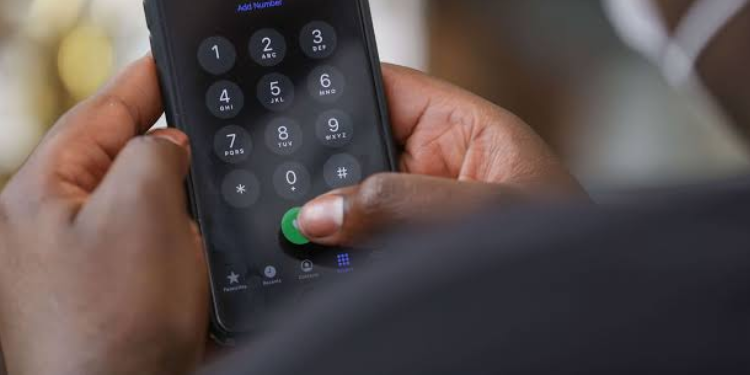
Because your SIM is locked, dial *100*8# from another phone. This code connects you to Safaricom’s self-service menu specifically for retrieving your PUK.
The system will prompt you to enter the mobile phone number of the SIM that is locked. Make sure you enter the number correctly; any mistake could delay receiving your PUK.
Also Read: How to Confirm M-PESA Transaction After a Delayed Message
Next, you will be asked to enter your national ID number (or other registered identification, if applicable) associated with that SIM. This step verifies that you are the rightful owner of the SIM. Safaricom uses this as a security measure to protect your account from unauthorized access.
After verifying your number and ID, you will receive your PUK code via SMS within a few minutes. Keep this code safe — do not share it with anyone, as it is the key to unlocking your SIM.
Insert the locked SIM back into your phone. When prompted, enter the PUK code exactly as received. You will then be asked to set a new SIM PIN. Choose a PIN you can remember easily but is not obvious to others. Once completed, your SIM card will be unlocked and fully functional.
Safaricom warns that users should be careful when entering the PUK as entering it incorrectly multiple times (usually 10) can permanently block your SIM.
The PUK is also the only official method to unlock a SIM blocked due to incorrect PIN entries. Third-party software or apps cannot generate it.
In addition, Safaricom staff will never ask for your sim card PIN, M-Pesa PIN or PUK over phone calls or messages. Always use official channels to retrieve your PUK.
By following these steps, you can unlock your Safaricom SIM safely, quickly, and without having to visit a Safaricom shop unless you prefer in-person assistance.
Other steps and safety tips
If, for some reason, the USSD method doesn’t work (e.g. your phone cannot dial, you don’t have access to another working Safaricom line, or you prefer in-person help), you still have alternatives:
- Contact Safaricom customer care: You can call 100 (for prepay) or 200 (for postpay) from another line. Once you are verified — by giving your registered ID number and mobile number — they can help retrieve your PUK.
- Visit a Safaricom retail shop / Care desk: Bring your original ID and the SIM card (or details) to verify ownership and ask for assistance in retrieving the PUK.
Beyond PUK retrieval, Safaricom encourages you to use its broader “self-service” offerings that save time and avoid queues.
Also Read: How to Access M-Pesa’s Taasi Pochi and Fuliza Biashara Loans for Your Business
For prepay users: dial *100# to access many services. For postpay users: dial *200#. For M-PESA–related services: dial *234#.
Beware of fraudulent messages or calls that attempt to steal your personal info (ID number, M-PESA PIN, etc.). Scammers may pressure you to act quickly.
If you get suspicious messages, forward the sender’s number to 333 (free of charge) and delete the message immediately.
Follow our and for real-time news updates.
A customer using the Safaricom M-Pesa mobile money transfer mobile app. PHOTO/BD